A quiet way
to read X.
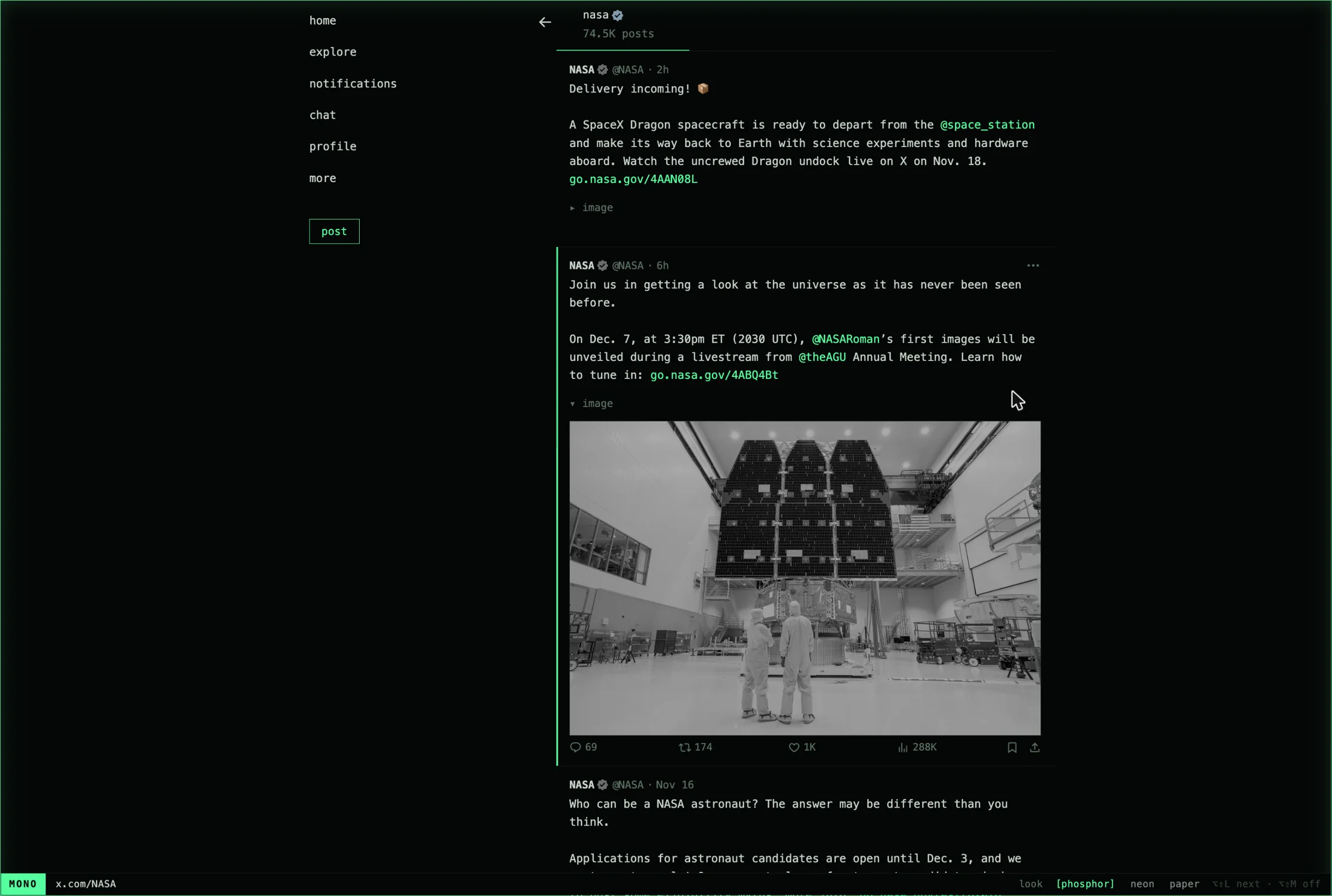
Mono is a small browser extension for Safari and Chrome. It reduces X to text, one colour and a hairline around the page, so what is left to look at is what people wrote.
download for Safari or install with Homebrew
what it takes away
- the right column
- Trends, news, live and who to follow.
- promoted posts
- Hidden from the timeline.
- counts
- Replies, reposts, likes and views stay hidden until you point at a post.
- pictures
- Folded to one line you can open, or kept grey until you point at them.
- nudges
- The new-posts pill, the row asking you to load more, and the composer above the feed.
- the nav
- Six words: home, explore, notifications, chat, profile, more.
three looks
Choosing one changes this page and its pictures too.
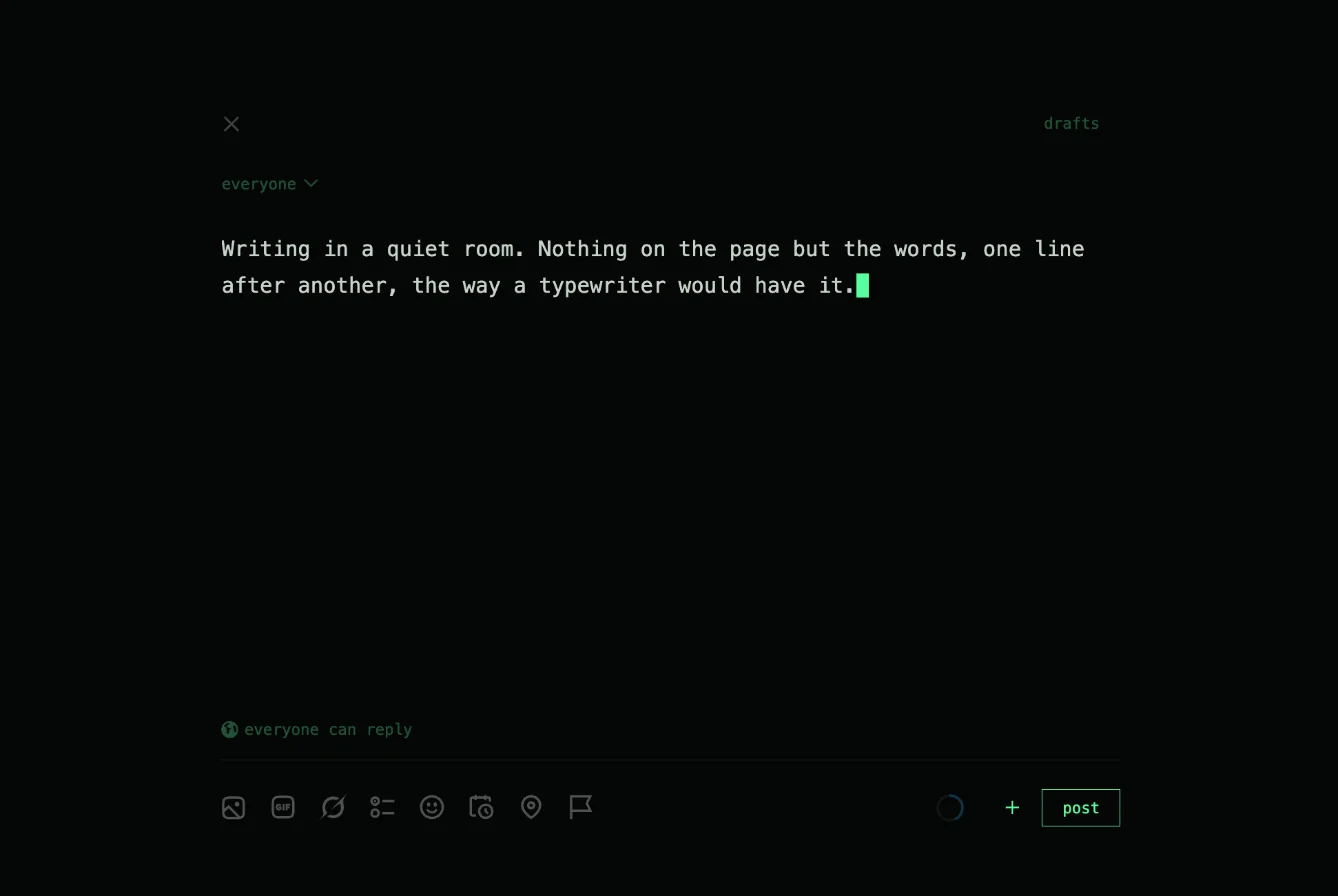
writing
Opening the composer clears the screen. What remains is one column of monospace and a block cursor, with the tools kept faint until you reach for them.
keys
- ⌥⇧M
- Mono on or off. Off is the site as X made it.
- ⌥⇧L
- The next look.
- ▸ image
- Click the line to open a picture, and again to fold it.
install
Safari
brew install --cask yask123/tap/mono-safari
Or download Mono.dmg and drag it to Applications. Then:
- Open Mono once. Its window has a button that opens Safari's settings.
- In Safari Settings, choose Extensions and tick Mono.
- On x.com, click the Mono button in the toolbar and choose Always Allow on This Website.
For macOS 14 and later. The app is signed and notarized.
Chrome, Arc, Brave, Edge
brew install yask123/tap/mono-chrome
mono-chrome
That opens the extensions page with Mono's folder already on your clipboard. Turn on Developer mode, click Load unpacked, press ⌘⇧G, paste, and choose Open. For another browser, add its name: mono-chrome arc, brave or edge.
Chrome only lets you add an extension from outside its store by hand, so this one step stays yours. Without Homebrew, clone the repository and load its extension folder the same way.