Record your Mac
for the iPhone.
Frame any part of your screen, add yourself, and see exactly what viewers will see, live, while you record.
Free for 7 days. Then $5 a month. For macOS 26 or later. Notarized by Apple.
See what they'll see.
Before they see it.
Most people watch on a phone. Nine records for the phone from the start.
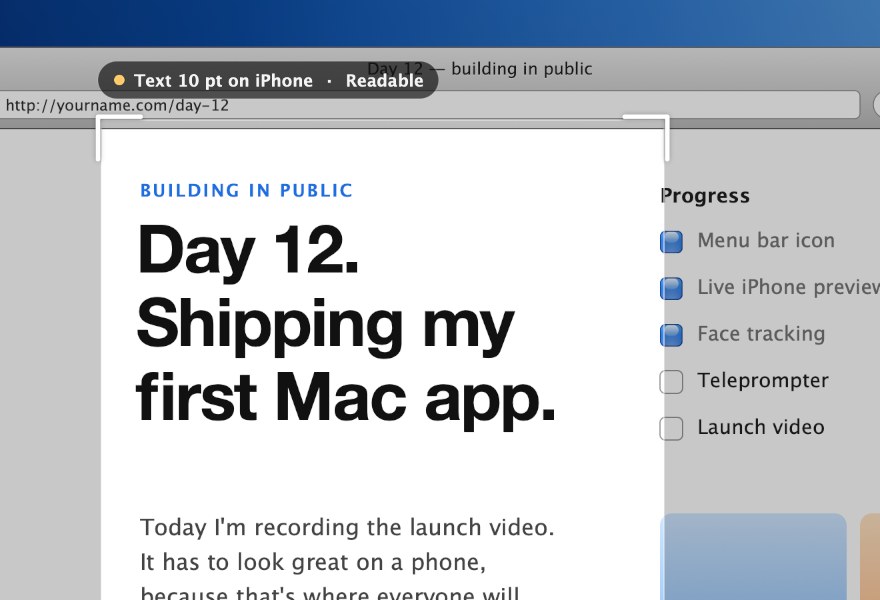
Frame anything.
Drag the frame over a window, a tab, or one line of code. Nine tells you whether the text will read on an iPhone.
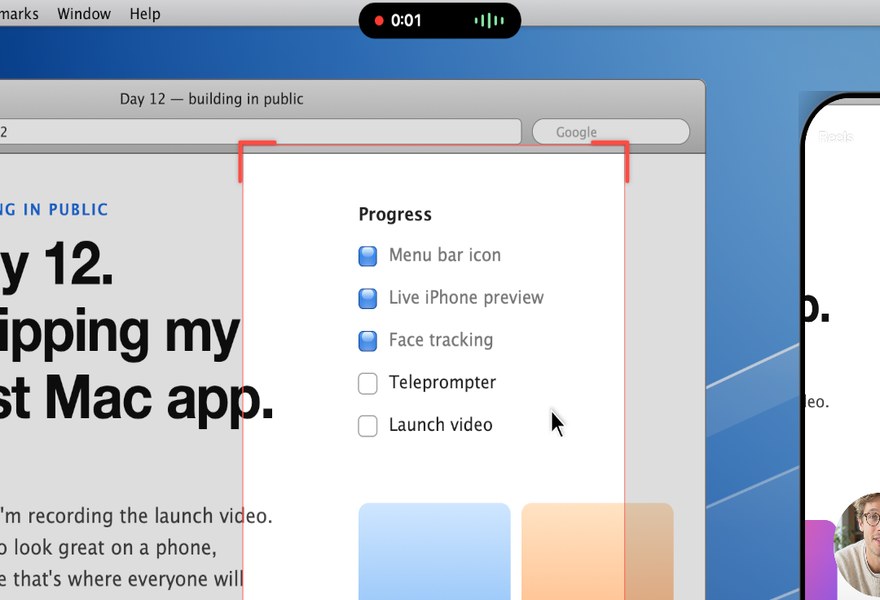
Record with one key.
Press ⇧⌘9. The frame follows your cursor, a timer sits under the notch, and your script scrolls right by the camera.
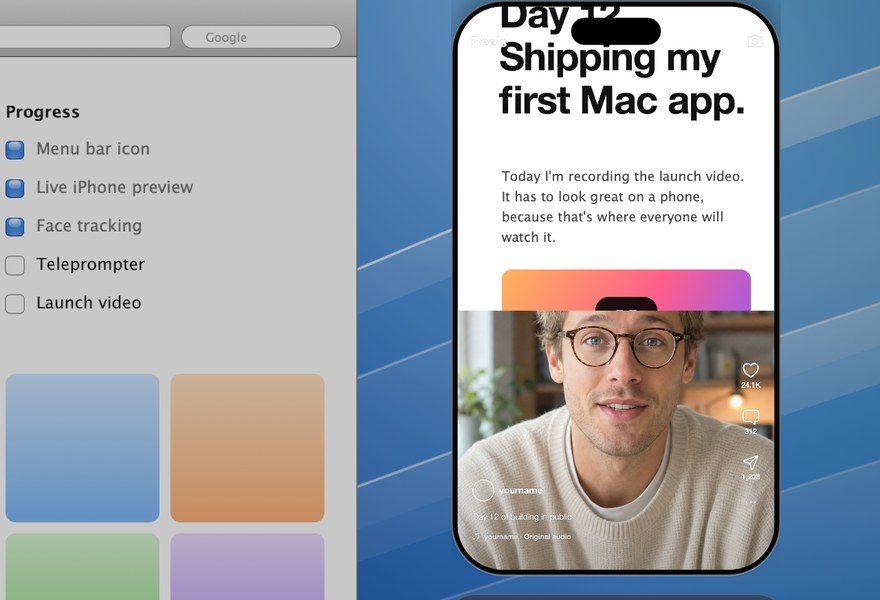
Watch it on a phone, live.
A phone beside the frame shows the finished video as you record, with Reels, TikTok or Shorts buttons ghosted on top.
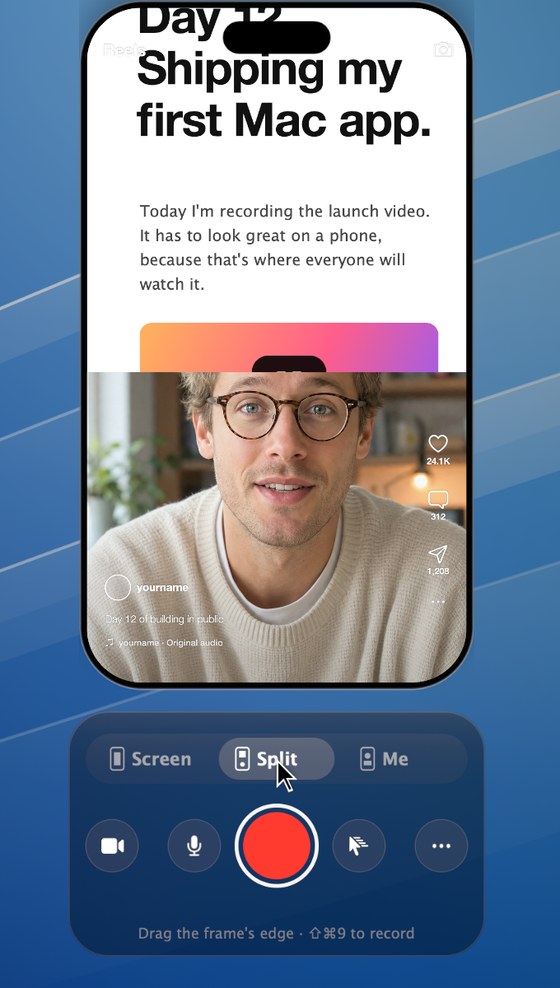
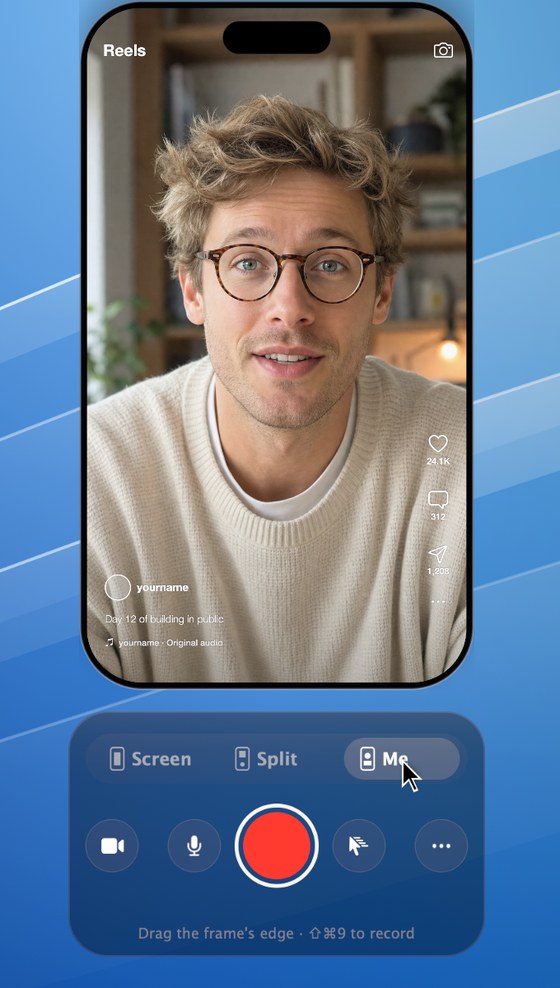
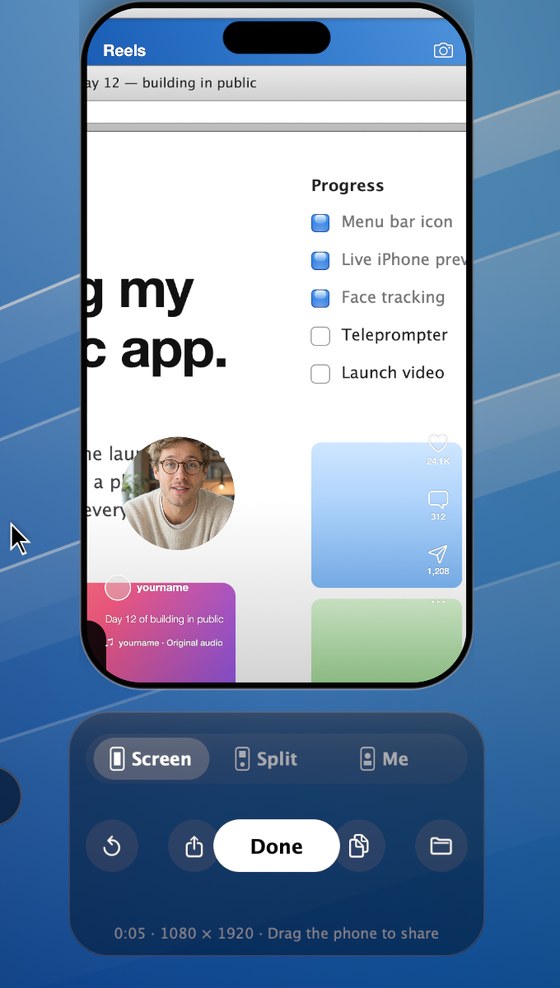
Screen. Split. Me.
Show your screen, yourself, or both. Nine keeps your face framed as you move.
Stop recording.
Your reel is ready.
Nine finds the story in what you said and hands you a finished reel, a minute after you stop. Your original take is always saved just as you recorded it.
- It listens.Transcribes your take on your Mac and fixes names it misheard.
- It finds the story.Keeps what matters, in your words, in order. Cuts the pauses and the ums.
- It makes it look finished.A title card, captions, a note for each point, and an end card.
- It scores it.Original music, timed so your best line lands on the beat. Nothing to license.
- You send it.Press ⌘↩ to AirDrop the reel to your iPhone with its caption copied.
This reel was cut by Nine from a 38-second take, untouched. Reels need macOS 27.
Small app. Every detail.
The frame
Snaps to window edges. Click at the size where text reads best.
Live iPhone preview
The exact video, updating as you record. No guessing, no re-cropping.
Three layouts
Screen with a camera bubble, a split view, or just you. Switch mid-take.
Follows your cursor
A vertical frame can't show a whole screen, so it glides after you.

Face tracking
Keeps you centred in the camera slot. Works with your iPhone as a webcam.
Teleprompter
Your script scrolls just under the camera, so you look at the lens as you read.

Safe zones
See where captions and buttons will sit on Reels, TikTok and Shorts.
One shortcut
⇧⌘9 opens Nine, starts recording, and stops. Space works too.
Stays on your Mac
Recordings never leave your Mac. No account, no uploads, no tracking.
Try it free for a week.
Everything works during the trial. After that, framing and the preview stay free, and recording needs a subscription.
- Unlimited recordings
- Every layout and feature
- Cancel anytime
Start the trial by downloading. No card needed. Subscribe from inside Nine whenever you're ready.
Questions.
What do I need?
A Mac running macOS 26 Tahoe or later. Apple silicon recommended. Any camera works, including your iPhone through Continuity Camera.
How do reels work?
After each take, Nine cuts a short reel in the background: it keeps the heart of what you said, adds a title, captions and original music, and shows it in the phone when it's ready. Type a line in "What's this one about?" before you record to steer it. Your original take is always saved as recorded, and you can turn reels off from the ••• menu. Reels need macOS 27.
Can my reels make me look better?
Gently, yes. Choose Natural or Sculpted from the wand in Nine's title bar and your reels come out lit for your face: even skin tone with its texture kept, clearer eyes, a soft shade under the jaw, and a quieter background. It's done on your Mac as the reel is made, never turns you into someone else, and leaves your original take exactly as recorded.
Do reels send my video anywhere?
No. Reels are made on your Mac. If you use Claude Code and it's signed in, you can turn on "Write Stories with Claude" for sharper edits; then only the transcript text goes to your Claude account, never the video.
Is Nine safe to install?
Yes. Nine is signed with a Developer ID and notarized by Apple, so macOS checks it for malware and opens it without a warning. Nine asks for camera, microphone and screen access only when you use them, and your recordings never leave your Mac.
Which permissions does it ask for, and why?
Screen Recording, to see the part of the screen inside the frame. Camera and Microphone, to put you in the video. Nothing is uploaded: recordings are saved to Movies › Nine.
What happens after the free week?
You can still open Nine, frame things and use the live preview. Recording asks you to subscribe. Paste your license key into Nine and you're back.
What do the videos look like?
1080 × 1920 H.264 at 60 or 30 frames per second, with AAC audio: the format Instagram, TikTok, YouTube Shorts and X expect. AirDrop it to your phone, or drag it straight into an upload page.
Can I cancel?
Anytime. Your subscription runs to the end of the period you paid for.